SmartView 2018
Auto Column Filters
Auto Filters are the free text version of the drop down filters described in the previous section.
To apply an Auto Filter:
| 1. | Select Show Auto Filter Row using one of the following: |
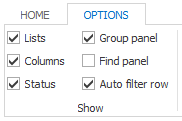
| a. | Selecting Auto filter row on the Options ribbon. The Auto Filter box will show below the column headers. |
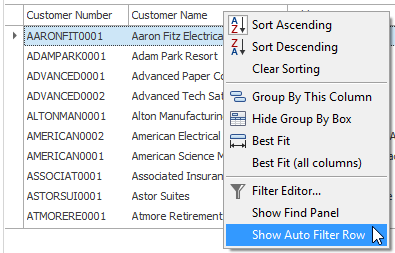
| b. | Right-clicking on any column header and selecting ‘Show Auto Filter Row’. |
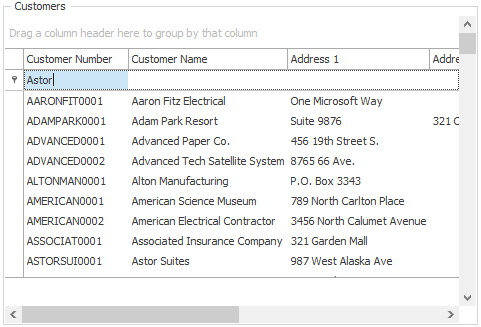
| 2. | Enter some text into the column that you wish to search and hit the tab key. |
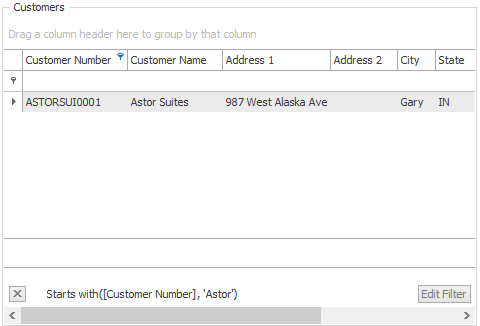
| 3. | Hit the Tab key to apply the filter. |
|
This is a ‘begins with’ Search type – so records will be filtered for records that begin with the string entered. |

To remove an Auto Filter:
| 1. | Click the Close Filter button below the data results. |
