SmartView
Refresh SmartList Builder SmartLists
This module describes how to refresh the SmartList Builder lists that are displayed in SmartView External. This can be useful if a change is made in SmartList Builder to bring those changes into SmartView External without re-launching SmartView External.
To refresh SmartLists:
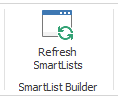
| 1. | On the Options ribbon, click the Refresh SmartLists button. |
| 2. | This will process for a few seconds and then the cursor will become available again. |