
Error: error=invalid_request&error_description=missing required code challenge
If you receive the above error when setting up a Salesforce connection in SmartConnect, it is related to changes applied by Salesforce to its app connection requirements.
Salesforce has updated its requirements around Proof Key for Code Exchange (PKCE). PKCE has been supported by Salesforce for several years as an optional security feature, but it is now considered an important industry security practice for OAuth 2.0 authentication.
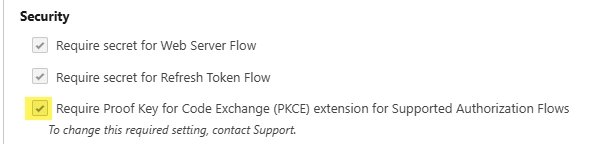
As a result, when creating a new External Client App connection in Salesforce for use with SmartConnect, the appropriate PKCE settings must be configured.
Please review the article below for detailed instructions on configuring the required settings.
Enabling PKCE for OAuth for Salesforce External Client and Connected Apps
Fix
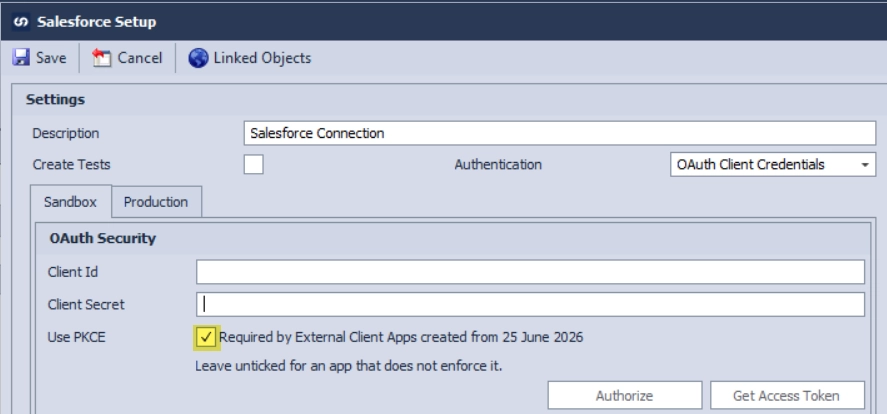
To resolve the error, enable the “Use PKCE” on salesforce connection.

Have a question? Please reach out to us at support@eonesolutions.com
