
Every team has to deal with repetitive tasks that take too much time to complete:
- Pulling weekly sales reports.
- Updating a board deck.
- Reconciling numbers across systems.
- And so many more!
With AI workflow automation, you can have an AI agent complete these manual tasks for you, but setting up these workflows aren’t always as easy as it seems.
AI workflow automation uses artificial intelligence to complete tasks that used to require human intervention. It adds flexibility to traditional workflow automation, allowing you to ask for what you need in plain language. Then, the AI figures out what systems to check and what data to pull. You could even have your AI use that data to generate reports and summaries for you, automating the repetitive tasks you used to handle manually. The hard part is getting your AI safely connected to your business data.
Tackling AI Workflow Automation
Out-of-the-box AI tools can open your company up to compliance risks, burn through tokens, and confuse team members who aren’t used to utilizing AI. Implementing AI without taking into consideration the way your business handles your company data affects three major areas: security, budget, and user adoption.
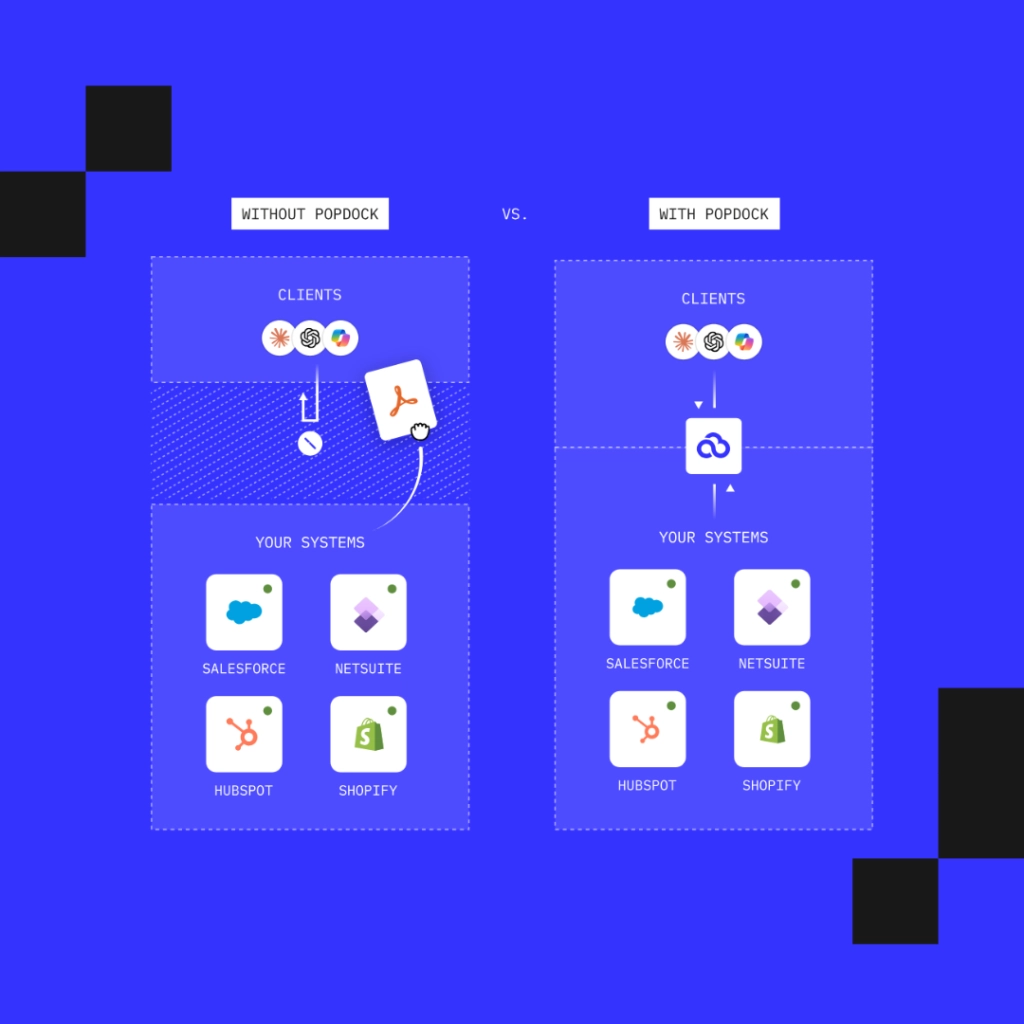
PopdockAI is the data security layer that sits between your AI tools and your business systems. It helps you automate tasks with AI securely and efficiently, and it works alongside the eOne iPaaS you may already rely on for data integration.
Security
To automate a workflow, your AI tool needs access to your data. That data often includes financial documents, customer records, and other sensitive information you don’t want to get into the wrong hands. Many generic AI tools connect broadly, giving the AI more access than it needs. Without security parameters that control what the AI can see and do, you risk exposing information to the wrong people or sending it to the wrong place.
PopdockAI puts security in your hands with multiple levels of control between your AI and your data. Set up specific parameters at the user and field level, while giving IT the visibility they need. In-depth audit trails track every action taken by both the AI and the human user. Strong security also makes automation easier to scale. When access rules are built into the foundation, you can add new workflows without having to go into the same security debate every time.
Addressing Token Waste
A token is how AI tools process information, and you’re charged based on the consumption of them. That means the more data your AI has to look through, the more it’s going to cost you. When an AI tool pulls large, unfiltered chunks of data just to answer one question, most of the tokens go to information the AI didn’t even need. The result is higher costs, slower responses, and inaccurate answers as AI tries to sort through the irrelevant data.
PopdockAI addresses token waste by making sure your AI only gets access to the right information. Smart data scoping encourages more accurate results with less token usage, with the intelligent query engine automatically pre-processing and filtering data before it reaches your LLM. Your AI works only with a relevant set of information, which means fewer wasted tokens, lower costs, and faster, more reliable results.
User Adoption
Even a secure, efficient tool fails if nobody uses it. Low adoption rates across your team usually come from them not knowing what to automate. The fix is to start small. Look for tasks that are repetitive, predictable, and time-consuming, such as:
- Weekly or monthly report pulls
- Board deck creation
- Routine data checks across systems
These tasks are easy to verify and provide value almost immediately. Setting your team up for quick wins right away builds confidence and trust in your AI tools.
Real PopdockAI Data Automation Use Cases
Real teams are implementing AI workflow automation, and they’re using PopdockAI to make sure it’s done correctly. Here’s what data automation looks like when it’s grounded in everyday work:
- Recurring Reports: Instead of manually pulling numbers every week or month, ask for the report and get it built from your live data.
- Board Decks: Gather the figures and summaries leadership needs without hours of copying between systems.
- Cross-System Questions: Get answers that draw on more than one source without exporting spreadsheets and copying and pasting data together.
Each of these use cases start with a repetitive task your team already does manually. By letting AI take over, you’re allowing your team to spend less time on repetitive work and more time on the work that moves your business forward.
Try PopdockAI
AI workflow automation can save your team hours every week, but only if you use the right data automation tools to make sure it’s secure, cost-efficient, and connected to the right data.
Contact us to see PopdockAI in action and learn how we can help you automate your AI workflows securely.

