Registration
To Register SmartPost:
| 1. | Open the SmartPost Registration window by going to Microsoft Dynamics GP - Tools - SmartPost - Registration. |
| 2. | Enter in the registration key. |
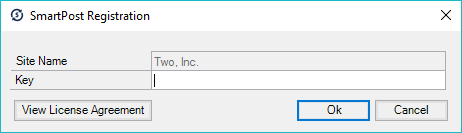
| 3. | Click the View License Agreement button. |
| 4. | Read the License Agreement and check the I accept the terms and conditions in the License Agreement checkbox. |

| 5. | Click the OK button to close the License Agreement Window. |
| 6. | Click OK to save the registration information. |